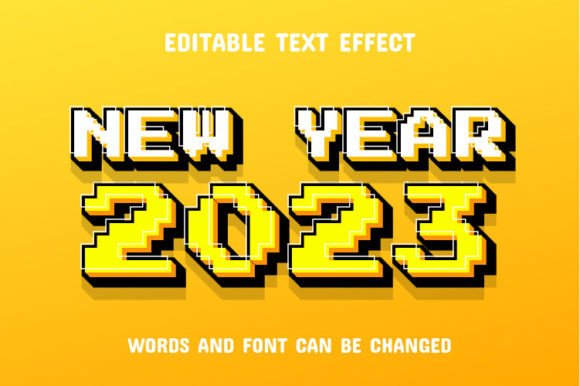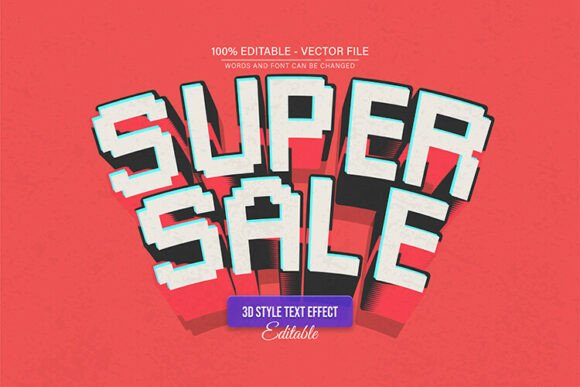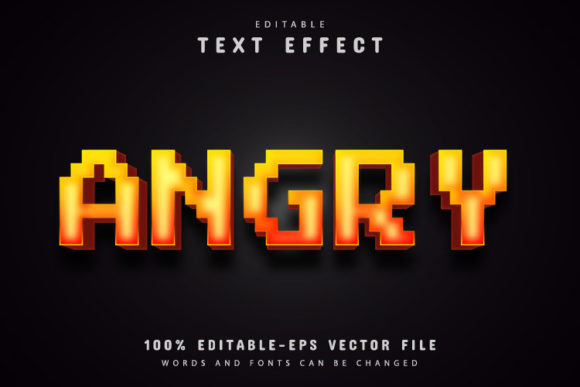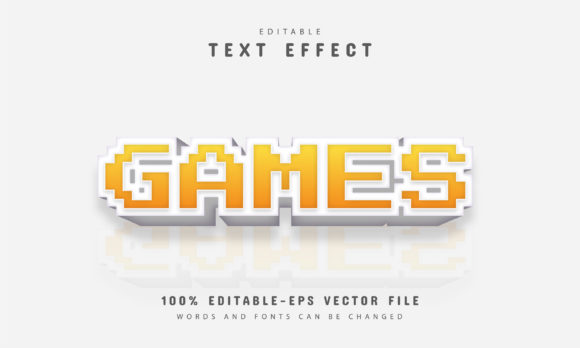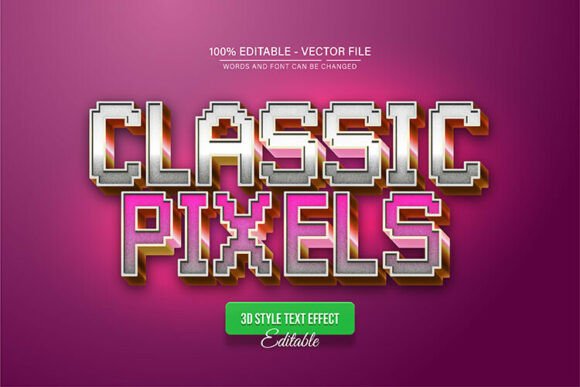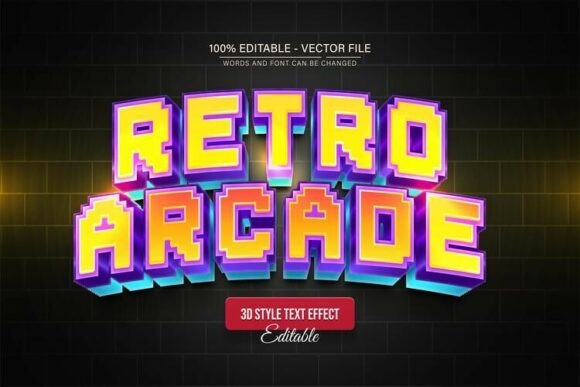
Retro Arcade Pixel Style 3D Text Effect
If you have ever wanted to add a nostalgic, arcade-inspired look to your designs without spending hours learning complex techniques, the Retro Arcade Pixel Style 3D Text Effect offers a straightforward and visually striking solution. This vector resource gives you a complete, ready-to-use text effect that mimics the blocky, pixelated charm of classic video games while adding a modern three-dimensional depth. Whether you are creating a flyer for a gaming event, a YouTube thumbnail, or a poster for a retro-themed party, this design element helps you achieve a polished, playful aesthetic in minutes.
What Is the Retro Arcade Pixel Style 3D Text Effect?
At its core, this design resource is a fully editable vector file built around a pixel-style 3D text effect. The letters appear as if constructed from small square blocks, much like the graphics from early arcade machines, and they are given a three-dimensional appearance with shadows and depth. Because it is a vector design, you can scale it up for a billboard or shrink it down for a social media graphic without any loss of quality. The package includes EPS and JPG formats, along with font information and free fonts, so you have everything you need to get started even if you are relatively new to design software.
The main appeal lies in the balance between a retro, pixelated look and a clean, modern 3D finish. It does not look like a simple filter applied to text. Instead, the structure of each letter is carefully built to give the impression of depth while keeping the square, chunky feel that people associate with old-school arcade cabinets and early home computers. This combination makes the effect suitable for a wide range of projects, from playful to professional.
Why Someone Might Choose This Text Effect
Many creators, whether they are seasoned designers or total beginners, face the challenge of making text stand out. Standard fonts can feel flat, and creating a custom 3D pixel effect from scratch takes time and skill. The Retro Arcade Pixel Style 3D Text Effect removes that barrier. It is designed to be accessible: you do not need to be an expert in Adobe Illustrator to use it. The instructions are simple, and the file structure is clean.
Another reason this resource appeals to a broad audience is its flexibility. Because the text is fully editable, you can type in any word or phrase you need. You can also change the colors freely, which means you can match the effect to a specific brand palette, event theme, or personal preference. For entrepreneurs and small business owners, this saves both time and money. Instead of hiring a designer to create a custom text effect, they can simply open the file, modify the text, adjust the colors, and export the graphic in minutes.
Who Benefits Most from This Resource
- Beginners and casual users who want a professional-looking result without learning advanced design techniques.
- Freelancers and creators who need to produce eye-catching content quickly for multiple clients or projects.
- Marketers and bloggers who want to create memorable headlines or social media graphics that stand out in a crowded feed.
- Educators and hobbyists who design materials for gaming clubs, retro-themed lessons, or personal projects.
- Small business owners who need signage, promotional materials, or product labels that catch attention without breaking the budget.
Practical Ways to Use the Retro Arcade Pixel Style 3D Text Effect
The versatility of this design means it can be applied across many contexts. Here are a few realistic examples that show just how useful it can be.
Event Flyers and Posters
Imagine you are organizing an arcade night at a local bar, a gaming tournament, or a birthday party with a retro theme. A standard flyer might not convey the energy and nostalgia you want. By using the Retro Arcade Pixel Style 3D Text Effect for the event name or headline, you instantly signal to viewers that this is a fun, playful experience. The 3D depth makes the text pop off the page, whether you print it on glossy paper or share it as a digital flyer on social media.
YouTube Thumbnails and Channel Art
Content creators in the gaming, tech, or pop culture space often compete for attention. A thumbnail with a generic font might get scrolled past, but one with a pixel-style 3D text effect can stop the viewer. You can use it for video titles, channel names, or even as part of an intro animation. Because the text is editable, you can quickly produce a consistent look across multiple videos without redesigning from scratch each time.
Social Media Graphics and Ads
For marketers and small business owners, standing out on platforms like Instagram, Facebook, or TikTok is essential. The bright, blocky look of this text effect fits well with challenges, announcements, and promotional posts. It works especially well for limited-time offers or product launches where you want to create a sense of fun and urgency. The ability to change colors means you can align the text with your brand’s visual identity.
Merchandise and Apparel
If you sell T-shirts, hoodies, stickers, or other merchandise, a unique text effect can be a major selling point. The Retro Arcade Pixel Style 3D Text Effect can be used for slogans, brand names, or product labels. Because it is a vector, you can scale it to fit different product sizes without worrying about pixelation. Print shops typically work well with EPS files, so you can easily hand off the design for production.
Educational and Instructional Materials
Teachers and educators who run coding clubs, game design workshops, or media classes can use this text effect to make their materials more engaging. A handout with a bold, retro-style title is more likely to capture the interest of students. Similarly, presentations or slides that feature this kind of text can help set a playful tone while still looking organized and intentional.
What to Consider Before Using the Text Effect
While the Retro Arcade Pixel Style 3D Text Effect is easy to use, there are a few practical things to keep in mind to get the best results. First, because the text effect has a distinct visual style, it works best when used sparingly. If you apply it to every piece of text in a design, the overall look can become overwhelming. It is most effective as a headline or focal point, with simpler fonts supporting the rest of the layout.
Second, color selection matters. The pixel blocks and 3D shading create a layered appearance, so high-contrast color combinations tend to look the clearest. For example, bright letters with a darker shadow and a contrasting background will make the text pop. Lower-contrast choices can sometimes make the 3D depth feel less pronounced, so it is worth experimenting with a few color variations before finalizing your design.
Another point to consider is the context of your project. While the pixel arcade style is widely recognized and loved, it might not suit every audience or industry. A corporate financial report, for instance, would likely benefit from a more restrained typographic approach. However, for creative industries, entertainment, events, and youth-oriented brands, this style is a natural fit.
How to Change the Text in Adobe Illustrator
One of the key selling points of this resource is how simple it is to customize. Here is a quick overview of the process:
- Open the EPS file using Adobe Illustrator CS or a newer version. The file should open with all layers and effects intact.
- Press the T key on your keyboard to select the Type Tool, then click directly on the text in the design. You do not need to worry about breaking anything because the text is fully editable.
- Type in your desired word or phrase. The pixel effect and 3D appearance will automatically apply to your new text. If you need to adjust the spacing or size, you can use the Character panel to fine-tune it.
Once you have made your changes, you can also explore unlimited color variations directly in Illustrator. Select the different elements of the text and adjust the fill and stroke colors to match your project. Because it is a vector, you can save multiple versions of the same design in different color schemes without losing quality.
Final Thoughts on the Retro Arcade Pixel Style 3D Text Effect
For anyone looking to add a dose of retro gaming nostalgia to their creative projects, this vector text effect offers a practical, time-saving solution. It removes the guesswork and technical hurdles that often come with designing pixel-style 3D typography from scratch. Whether you are a complete beginner opening Adobe Illustrator for the first time or a seasoned professional looking for a reliable resource for recurring projects, the combination of editable text, unlimited color options, and scalable vector quality makes it a valuable addition to your toolkit.
The key is to use it thoughtfully, matching the style to the tone of your project and choosing colors that enhance the 3D depth. With just a few clicks, you can transform ordinary text into a bold, memorable statement that captures the spirit of classic arcade games while fitting neatly into modern digital and print workflows.