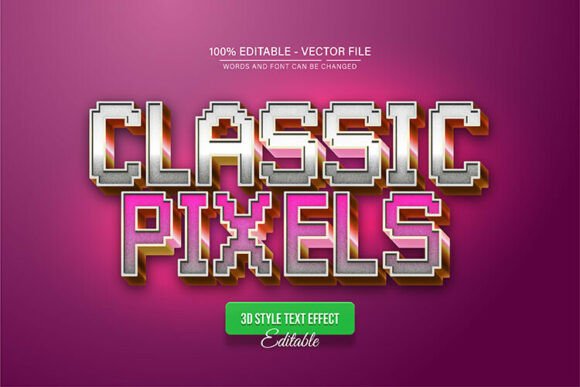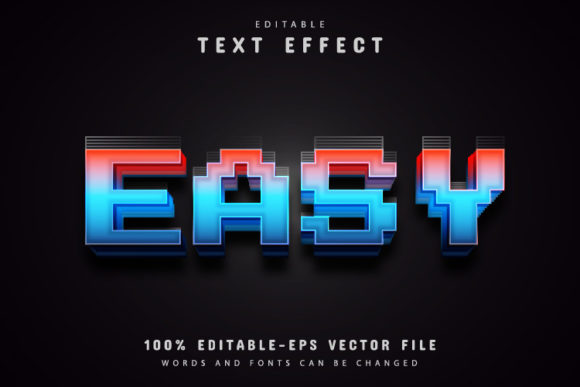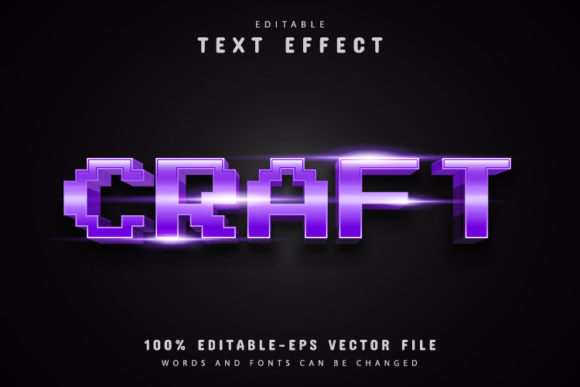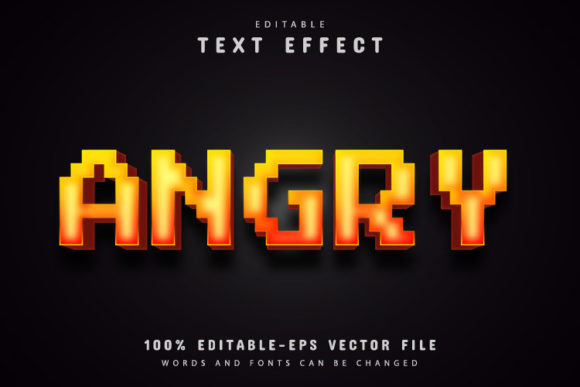
Green Pixel Text Effect: A Fully Editable Vector Design for Creative Professionals
If you have ever tried to craft a retro-futuristic design from scratch, you know the challenge of balancing aesthetic impact with technical flexibility. The Green Pixel Text Effect offers a ready-made solution that brings a nostalgic, digital-edge look to any project while remaining fully customizable. Whether you are designing a poster, a social media banner, or a game interface, this vector template delivers both style and practicality.
This article explores what the Green Pixel Text Effect is, how it works, who can benefit from it, and what to consider before using it. We will walk through real-world applications, technical features, and practical advice for getting the most out of this design resource.
What Is the Green Pixel Text Effect?
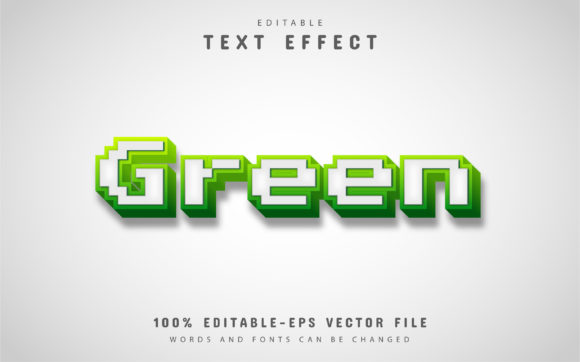
The Green Pixel Text Effect is a pre-designed vector text style that emulates the appearance of pixelated, digital typography with a distinct green glow. It draws inspiration from early computer displays, arcade games, and terminal screens, but modernizes the look through scalable vector graphics. Unlike raster-based pixel fonts, this effect remains crisp at any resolution, making it suitable for both print and digital media.
At its core, the effect is delivered as an editable vector file. This means every element—the letters, the pixel grid, the glow, and the background—can be modified without losing quality. You can enlarge it for a billboard or shrink it for a mobile icon, and the sharpness stays intact. The template is provided in EPS and JPG formats, with the EPS file acting as the primary editable source.
Key Characteristics of the Green Pixel Style
- Retro-digital aesthetic: The green-on-dark color scheme closely resembles classic monochrome monitors and early gaming consoles. It evokes nostalgia while remaining visually striking in modern contexts.
- High readability: Despite the pixelated appearance, the letterforms are designed to remain legible at various sizes. The grid structure ensures each character is distinct.
- Smooth scalability: Because the file is vector-based, you can resize it infinitely. There is no loss of definition, no aliasing, and no compression artifacts.
- Color flexibility: While the default palette uses green tones, the vector nature allows unlimited color variations. You can switch to any hue or gradient in Adobe Illustrator.
Why Use a Pre-Built Text Effect?
Designing a pixel effect from scratch requires a deep understanding of typography, grid systems, and vector construction. Even experienced designers can spend hours aligning individual blocks to create a convincing digital look. A pre-built effect eliminates this grunt work while preserving creative control.
The Green Pixel Text Effect is particularly valuable for professionals who work under tight deadlines. Instead of building a pixel font from the ground up, you can open the file, edit the text, and adjust the style in minutes. This efficiency does not come at the cost of originality—since everything is editable, you can tailor the effect to fit your brand or project vision.
Who Benefits from This Effect?
- Graphic designers looking for a quick way to add a retro-tech element to posters, flyers, or digital ads.
- Web and UI designers who want a distinctive heading style for landing pages, dashboards, or app interfaces.
- Game developers and asset creators seeking consistent pixel typography for menus, titles, or in-game text overlays.
- Social media managers and content creators who need eye-catching text effects for thumbnails, stories, or banners.
- Business owners and entrepreneurs building a brand identity that leans into tech, gaming, or digital culture.
- Hobbyists and beginners who want professional-looking results without advanced vector editing skills.
Where Can You Use the Green Pixel Text Effect?
The versatility of this effect makes it suitable for a wide range of media. Below are some of the most common and effective use cases.
Print Materials
Posters, event flyers, merchandise designs, and magazine spreads all benefit from the high-resolution vector format. Because the file is EPS, you can place it into print layouts at any physical size without worrying about pixelation. The green glow stands out on dark backgrounds, making it ideal for night-event posters or sci-fi themed publications.
Digital Graphics
Social media posts, YouTube thumbnails, email headers, and website hero sections are prime candidates. The effect’s digital-native look resonates with audiences familiar with gaming and tech culture. It also performs well on screens of any size, from smartwatches to large monitors.
Branding and Identity
For companies in the tech, gaming, or esports sectors, the Green Pixel Text Effect can form the basis of a logo treatment or brand headline. Because colors and text are fully editable, the effect can be adapted to match existing brand guidelines. You might use it for a tagline, a product name, or a featured callout.
Video and Motion Graphics
While the delivered file is static, you can import the vector into animation software to create moving text effects. The clean geometry of the pixel grid makes it straightforward to animate letter-by-letter reveals, glitch transitions, or neon pulsations.
Features of the Green Pixel Text Effect Template
Understanding the technical contents of the download helps you plan your workflow. The package includes the following:
- EPS file: The fully editable vector source. You open this in Adobe Illustrator CS or higher to change text, colors, and layout.
- JPG file: A high-resolution preview image. Useful for quick mockups or presentations before editing the vector.
- Font information: The template includes details on the fonts used (if any free fonts are required). This ensures you can match the style even if you need to add characters outside the provided text.
100% Editable Vector Design
Every element in the EPS file is built from vector shapes. You can select any letter, change its color, move it independently, or completely replace the text. The pixel effect is not a raster image embedded inside the file—it is constructed from scalable paths and effects. This is the core advantage of the Green Pixel Text Effect: you are not stuck with a static image.
Unlimited Color Variations
The green palette is the default, but the file supports any color you choose. In Adobe Illustrator, you can adjust the fill and stroke of each letter, modify the glow effect, or apply gradients. Want a blue pixel effect for a cyberpunk theme? Or a red version for a warning sign? The process takes seconds. The unlimited color capability means one template can serve many projects.
No Skill Requirement
You do not need to be a vector expert to use this template. The instructions are straightforward: open the file, press “T” on your keyboard to select the text tool, click on the existing text, and type your own. The effect automatically applies to your new text. For users familiar with Illustrator, deeper customization is possible. For beginners, the basic edit is simple enough to complete in a few minutes.
How to Change the Text in Adobe Illustrator
One of the most frequently asked questions about vector text effects is how to edit the content without breaking the design. The process for the Green Pixel Text Effect is designed to be intuitive.
- Open the EPS file with Adobe Illustrator CS or a newer version. Ensure you have the software installed before downloading.
- Select the text. Press the “T” key on your keyboard to activate the Type tool. Click directly on the text in the artboard. The entire text block should become highlighted with a bounding box.
- Type your new text. Replace the placeholder wording with your own message. The pixel effect and styling remain applied to the new characters.
- Adjust as needed. You can change the font size, letter spacing, or color from the Character panel. The pixel grid adapts to the new text length. If you need to reposition the text, simply drag it with the Selection tool.
- Save or export. Once you are satisfied, save the file as EPS for future edits, or export to PNG, JPG, or PDF for final use.
That is all it takes. The template does not require you to rebuild any effects or masks. It works out of the box.
Strengths and Practical Considerations
Every design resource has its ideal use cases and its limitations. Being aware of these helps you decide whether the Green Pixel Text Effect fits your specific project.
Strengths
- Time savings: What might take an hour to build manually is ready in minutes. The effect is polished and tested.
- Scalability: Vector format means you can use the same file for a business card and a trade show banner without quality loss.
- Professional finish: The pixel grid is uniform, the glow is smooth, and the overall composition is balanced. It looks like a carefully crafted custom design.
- Customizability: Text, colors, and layout are all open to change. You are not locked into a single aesthetic.
- Beginner-friendly: Clear instructions and a simple edit process lower the barrier to entry.
Limitations to Keep in Mind
- Software dependency: The EPS file requires Adobe Illustrator CS or higher. If you do not have access to this software, you will not be able to edit the vector directly. You can still use the provided JPG preview for non-editable purposes.
- Font matching: If the template uses a specific free font, you may need to download and install it to ensure the exact look. The font information is included, but this step is necessary if you do not already have the font.
- Design context: The pixel effect works best on dark or neutral backgrounds. On very light backgrounds, the green glow may lose contrast. You can adjust the colors to compensate, but the template is optimized for darker settings.
- Not a full font: This is a text effect applied to a specific word or phrase, not a complete pixel font family. You cannot type entire paragraphs—it is intended for headlines, titles, or short emphasis text.
Real-World Scenarios and Applications
To illustrate the practical value, here are a few hypothetical but realistic scenarios where the Green Pixel Text Effect solves a design problem.
Scenario 1: Launching a Gaming Channel
A streamer is creating a logo and overlay for a new Twitch channel focused on retro games. They need a title that feels authentic to the 8-bit era but looks polished on modern screens. Using the Green Pixel Text Effect, they edit the channel name directly in Illustrator, tweak the green to match their brand, and export a transparent PNG. The result is a professional channel header that resonates with their target audience—and it took under 30 minutes.
Scenario 2: Tech Conference Flyer
An event organizer is designing a promotional flyer for a cybersecurity conference. The theme is “digital defense,” and the visual direction calls for a terminal-like aesthetic. The organizer uses the Green Pixel Text Effect for the main headline, changes the color to a slightly cooler green-blue, and pairs it with a dark circuit-board background. The flyer immediately communicates the tech-forward nature of the event without requiring a custom typeface design.
Scenario 3: Social Media Campaign for a Game Launch
A marketing team needs a series of Instagram stories and banner ads for an upcoming mobile game. The game’s art style features pixel characters and neon environments. The team downloads the effect, edits the game title into the template, and creates multiple color variations for different platforms. They use one version with the default green for organic posts and a purple variant for paid ads. The campaign maintains visual consistency while adapting to platform-specific requirements.
How to Evaluate Whether This Effect Suits Your Project
Before purchasing or downloading any design resource, it helps to ask a few focused questions. These will guide you toward the right choice.
- Does the aesthetic match your brand or message? The pixel effect carries specific cultural associations—gaming, technology, the 1980s and 1990s, digital interfaces. If your project leans into these themes, the effect is a strong fit. If you need a more organic or hand-crafted look, other styles may serve you better.
- Do you have the necessary software? Because the primary file is an editable EPS, you need Adobe Illustrator (CS or later). If you work exclusively in other vector tools, check compatibility. Most modern vector editors can import EPS, but some effects may not transfer identically.
- How much customization do you need? If you require only minor text changes and color adjustments, this template is ideal. If you plan to heavily distort or rebuild the pixel structure, you might be better off starting from scratch. The template is a time-saver for standard edits, not a fully modular system.
- What output format do you need? For print, the EPS and JPG are sufficient. For web, you can export from Illustrator to PNG or SVG. The vector source gives you flexibility for any final format.
Final Thoughts on the Green Pixel Text Effect
The Green Pixel Text Effect stands out as a practical, high-quality resource for anyone who needs retro-digital typography without the overhead of building it manually. Its editable vector nature, combined with straightforward customization steps, makes it accessible to beginners and efficient for professionals. Whether you are creating a game title, a conference banner, or a social media campaign, the effect delivers a cohesive look that resonates with audiences familiar with digital culture.
The key is to view it as a starting point—a foundation that you can adapt to your specific needs. Change the text, tweak the color, adjust the scale, and integrate it into your broader design. The template does the heavy lifting of the pixel construction, leaving you free to focus on composition, context, and creativity.
If you have access to Adobe Illustrator and a project that calls for a pixelated green glow, this effect is worth exploring. It combines the nostalgia of early digital displays with the precision of modern vector tools, offering the best of both worlds. Download the template, follow the simple edit instructions, and see how a single text effect can transform your next design.