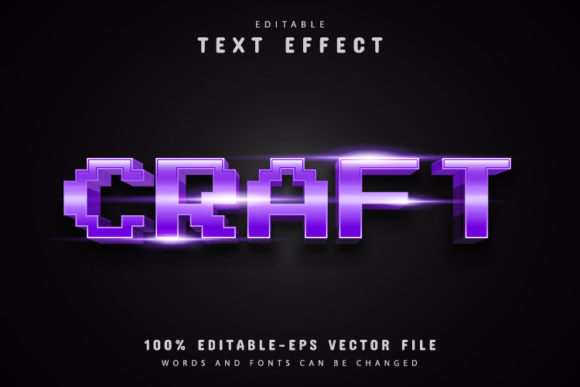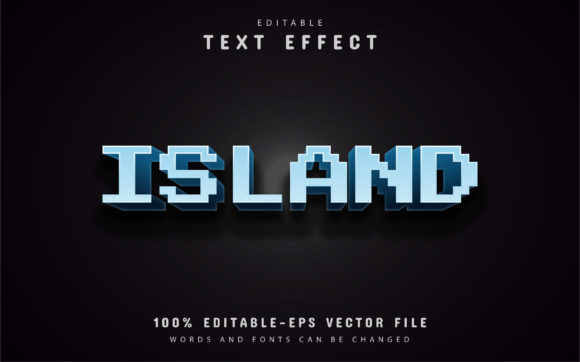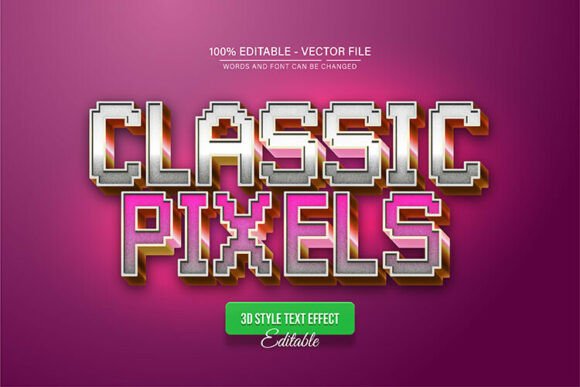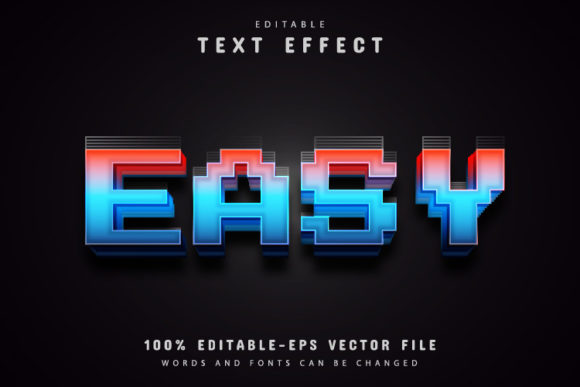
Colorful Pixel Text Effects for Scalable Vector Design
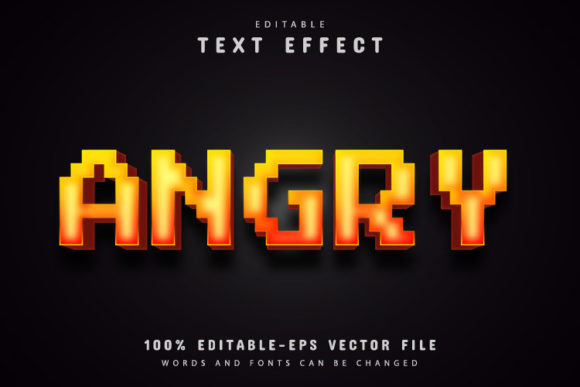
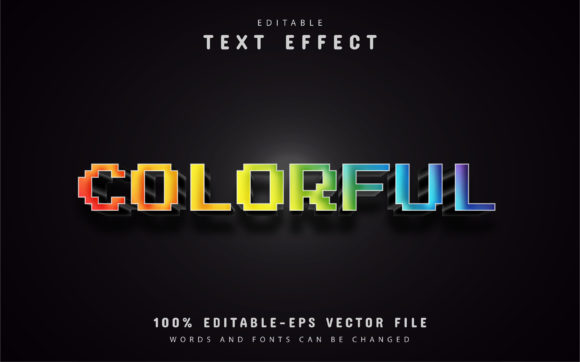
Creating standout visual content often comes down to the details. Whether you are designing a social media campaign, building a presentation, or refining a brand identity, the way text appears can make the difference between something that blends in and something that captures attention. Colorful Pixel Text Effects offer a way to add texture, energy, and personality to typography without starting from scratch. This fully editable vector design gives you access to a vibrant, pixel-inspired look that remains crisp at any size, making it a practical tool for a wide range of creative projects.
What Makes Colorful Pixel Text Effects Useful
At its core, Colorful Pixel Text Effects is a pre-built vector template designed for Adobe Illustrator. Instead of spending hours building pixel-style lettering from the ground up, you get a ready-to-use file where the text, colors, and layout are fully editable. There is no need to master complex tools or learn advanced design techniques. If you can open an Illustrator file and press a key on your keyboard, you can customize this effect to fit your project.
The design retains its quality regardless of scale. Because it is vector-based, you can enlarge it for a billboard or reduce it for a business card, and the edges stay sharp. This scalability is especially valuable for professionals who need one asset to work across multiple formats without rework.
Practical Benefits for Everyday Work
For anyone who regularly produces content, time is a scarce resource. Colorful Pixel Text Effects help you skip the repetitive parts of design so you can focus on message and strategy. The file comes in both EPS and JPG formats, and the vectors are 100 percent editable. This means you can tweak the shape, size, and arrangement of each pixel element without degrading the overall look.
Unlimited color variations are another practical advantage. Instead of being locked into a preset palette, you can experiment with brand colors, seasonal themes, or campaign-specific hues directly inside Illustrator. This flexibility supports consistency across your visual identity while allowing for creative adaptation.
Realistic Use Cases Across Roles
Marketers and social media managers often need thumb-stopping visuals that work on small screens. Pixel text effects add a retro-modern feel that stands out in feeds filled with standard typography. Because the file is easy to edit, you can quickly produce multiple versions for A/B testing or platform-specific formats.
Small business owners and entrepreneurs may not have a dedicated design team. With Colorful Pixel Text Effects, you can create professional-looking materials for website headers, promotional banners, product labels, or event signage without hiring a freelancer for every small update. The “no skill requirement” aspect means you can get results even if your design experience is minimal.
Educators and bloggers can use these effects to make learning materials, infographics, and title slides more engaging. Pixel-style text naturally evokes a playful, approachable tone that works well for younger audiences or topics where you want to reduce formality.
Freelancers and graphic designers benefit from having a flexible starting point. Instead of building pixel effects from scratch for each client, you can use this template as a foundation, then customize it to match different brand guidelines. This can speed up turnaround times and allow you to take on more projects without sacrificing quality.
Who Benefits Most and Why
While the design is broadly useful, certain groups will find it especially valuable. Content creators who need to produce visual assets at volume — such as YouTubers, podcasters, and online course makers — often work under tight deadlines. Having a reliable, editable template reduces friction between idea and execution.
Hobbyists and DIY enthusiasts who enjoy creating their own graphics for invitations, personal projects, or community events will appreciate that the file requires no special training. The included font information and free fonts further lower the barrier to entry.
Publishers and editorial teams can use Colorful Pixel Text Effects for section headers, pull quotes, or cover text in digital and print layouts. Because the vector file maintains quality at any size, it works equally well in a compact newsletter or a full-page magazine spread.
Simpler Decisions, Stronger Results
One overlooked benefit of a ready-made template is decision reduction. When you start a design project from scratch, you face endless choices about typeface, texture, color harmony, and layout. With Colorful Pixel Text Effects, many of those decisions are already resolved. This frees your mental energy for higher-level concerns like clarity of message, audience fit, and overall composition.
For example, if you are preparing a presentation for a stakeholder meeting, you can drop in the pixel text effect, adjust the wording, and match the colors to your company palette in minutes. The result looks intentional and polished, without requiring you to become a typography expert overnight.
Important Considerations Before You Start
Like any tool, Colorful Pixel Text Effects has a specific fit. The design is optimized for Adobe Illustrator CS or higher. If you use other vector editing software, you may need to check compatibility with EPS files, though most major programs support this format. The JPG version provides a quick preview but is not editable in the same way.
The pixel aesthetic carries a certain visual language. It works well for projects that embrace bold, playful, or nostalgic vibes. For very formal or minimalist contexts — such as legal documents, academic journals, or luxury branding — you might prefer a different treatment. Consider the tone of your project and your audience’s expectations before committing to any specific text effect.
Also note that while the template is fully editable, you will still need to open the file in Illustrator and make your changes manually. The process is straightforward: press the “T” key on your keyboard, click on the text, and edit it as needed. For most users, this takes less than a minute once the file is open. But if you are entirely unfamiliar with Illustrator, you may want to review basic text-editing steps before starting.
How to Change the Text Quickly
The workflow for customizing Colorful Pixel Text Effects is designed to be simple. After downloading the content — which includes JPG files, EPS files, and font information — open the EPS file in Adobe Illustrator CS or a later version. Press the “T” key on your keyboard to activate the Type tool, then click directly on the text you want to change. Type your new word or phrase, and the pixel effect adjusts to fit. You can also modify color, size, and positioning within the same file.
This process makes it easy to reuse the same base design for multiple projects. Change the text, shift the color, and you have a fresh asset without starting over.
Final Thoughts on Adding Pixel Effects to Your Workflow
Colorful Pixel Text Effects strike a balance between creative expression and practical efficiency. They give you a distinctive visual style without demanding hours of setup or specialized knowledge. For professionals, creators, and business owners who need reliable, scalable typography, this kind of editable vector design can simplify your process and improve the consistency of your output.
The value lies not in flashy promises but in everyday usefulness. When you can open a file, change a word, adjust a color, and export a high-quality graphic in minutes, you save time and reduce frustration. That efficiency lets you focus on what really matters: communicating your message clearly and connecting with your audience.
If you frequently work with text-heavy visuals and want to add a colorful, pixel-inspired edge to your designs, this template offers a practical starting point. Just be sure the style aligns with your brand and your audience’s preferences. When used thoughtfully, Colorful Pixel Text Effects become a reliable asset in your creative toolkit — one that grows more useful the more you customize it.