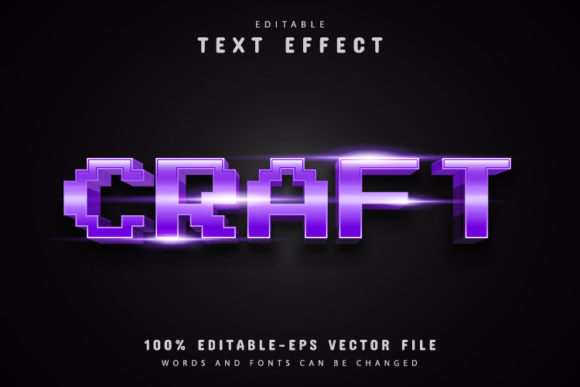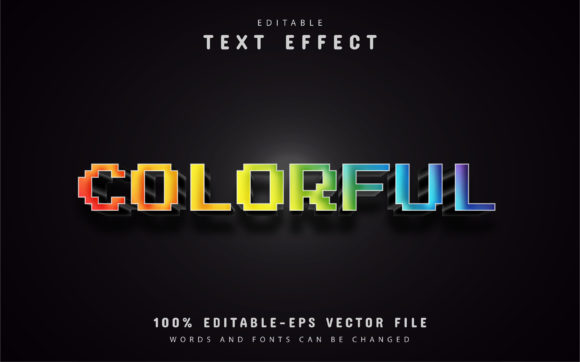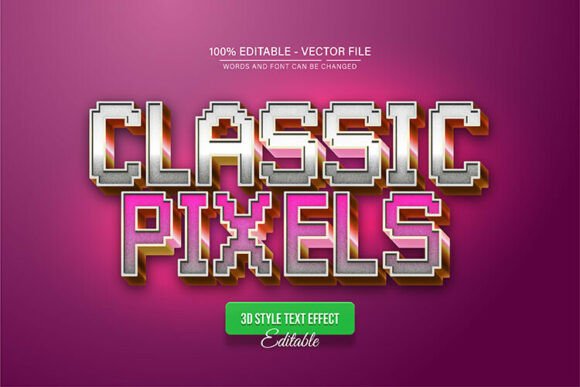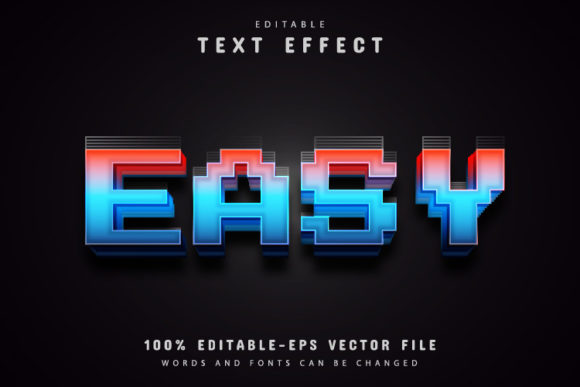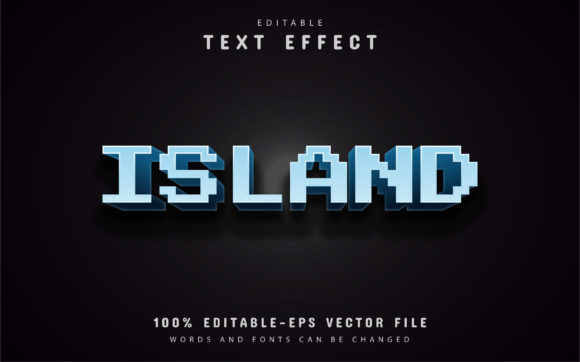
Understanding Island Pixel Text Effects for Vector Design Projects
When you work with typography in Adobe Illustrator, the difference between a static text effect and a fully editable vector design often determines how far you can take a project. Island Pixel Text Effects offer a distinct approach that sits somewhere between a ready-made graphic and a customizable template. For designers who need flexibility without sacrificing visual quality, understanding what this format provides—and where its limitations lie—can help you make smarter decisions about your workflow.
Island Pixel Text Effects are built around the idea that text should remain editable even after effects are applied. In many design resources, applying a texture, pixelation, or distressed look to text forces you to outline the type, making future edits impossible. With Island Pixel Text Effects, the original text stays live, so you can change words, adjust spacing, or swap fonts without starting over. This feature alone makes it a practical choice for projects where content may evolve after the initial design is approved.
What Makes Island Pixel Text Effects Distinct
The core distinction of Island Pixel Text Effects lies in its vector-based construction. The effect itself is composed of vector shapes, not raster textures or embedded images. This means you can scale the design to any size—whether for a small social media graphic or a large-format banner—without any loss of sharpness or introduction of artifacts. The quality remains consistent because the math behind the vector paths stays intact, regardless of how much you enlarge or reduce the artwork.
The package typically includes EPS and JPG formats, with the EPS file containing the fully editable vector data. The JPG serves as a reference or preview, but the real value is in the EPS file, which you open in Adobe Illustrator CS or higher. Once inside Illustrator, you can access the text layer, modify it using the Type tool, and the pixel effect adjusts around the new characters automatically. The text effect is not a static overlay; it is tied to the live type, so any changes you make to the text content are reflected in the finished look.
Another standout aspect is the inclusion of free font information. You are not locked into a specific commercial typeface that requires an additional purchase. The resources tell you which fonts work best with the effect, and those fonts are available at no cost. This lowers the barrier to entry and means you can achieve the intended look immediately without hunting for missing typefaces.
Comparing Island Pixel Text Effects to Other Text Effect Approaches
Text effects in graphic design fall into several broad categories, each with its own tradeoffs. Understanding how Island Pixel Text Effects compare to these alternatives helps you decide when to use it and when another option might serve you better.
Editable vs. Outlined Text Effects
Many text effects available online require you to outline your text before applying the effect. Outlining converts the type into vector shapes, which means you can no longer edit the text content, change the font, or adjust tracking and kerning. If a client later asks for a name change or a different word, you have to rebuild the effect from scratch. Island Pixel Text Effects keep the type editable, so revisions take seconds rather than hours. This is a significant advantage for projects that go through multiple rounds of feedback.
However, outlined effects sometimes offer more complex distortions or custom letterforms that are difficult to maintain with live text. If your design requires extreme manipulation of individual letter shapes—beyond what a standard effect can handle—outlined text may still be the better route. Island Pixel Text Effects are best when you need the pixel or island-style aesthetic combined with the ability to swap out text quickly.
Vector vs. Raster Text Effects
Raster text effects rely on pixel-based layers, masks, and filters. While they can produce rich, textured results, they lose quality when scaled up beyond their original resolution. Vector text effects, like Island Pixel Text Effects, remain resolution-independent. For projects that may be used at multiple sizes—such as a logo that appears on both a business card and a billboard—vector formats are practically essential. The tradeoff is that raster effects sometimes achieve a level of grunge, noise, or photographic texture that is harder to replicate with vector shapes. Island Pixel Text Effects offer a clean, stylized pixel look, but if you need a grimy, photo-realistic distressed type, a raster approach might be more appropriate.
Subscription-Based vs. One-Time Download
Some text effect resources are available only through subscription platforms, where you pay monthly or yearly for access to a library of assets. Island Pixel Text Effects are typically offered as a one-time download. For designers who only need a specific style for a particular project, a single purchase is more cost-effective than a recurring subscription. On the other hand, if you frequently use a wide variety of effects, a subscription might give you more options over time. The choice depends on your usage patterns and budget.
Strengths and Tradeoffs of the Island Pixel Text Effects Format
Every design resource comes with inherent strengths and tradeoffs. Island Pixel Text Effects are no exception, and understanding these can help you align the tool with your specific project needs.
Strengths
- Full editability: The text remains live and editable, which is rare among pixel-style effects. You can change the word, adjust the font, and modify the text size without losing the effect.
- Scalability: Because the effect is built with vectors, you can enlarge or reduce the design without any quality degradation. This is critical for multi-format branding or print projects.
- No skill requirement: The instructions are straightforward: open the EPS file in Illustrator, press T on the keyboard, click the text, and type your own words. You do not need advanced Illustrator knowledge to use the effect.
- Unlimited color variations: Since the vector elements are editable, you can change the colors of the pixel effect and the text independently. This allows you to match brand colors or experiment with different palettes easily.
- Free font compatibility: The effect is designed to work with freely available fonts, so you do not need to invest in additional typefaces to use it as intended.
Tradeoffs
- Specific aesthetic: The island pixel style has a distinct look that may not suit every project. It works well for retro, gaming, beach-themed, or casual designs, but it may feel out of place in corporate or minimalist contexts.
- Limited distortion control: Because the effect is tied to live text, the pixel arrangement is generated around the type. If you need to distort individual letters or create custom letter shapes, this format may not offer enough flexibility.
- Software dependency: You need Adobe Illustrator CS or higher to edit the EPS file. If you work primarily in other vector software, you may encounter compatibility issues. The effect is not designed for use in free or open-source alternatives.
- Effect complexity: The island pixel look is relatively simple compared to multi-layered, heavily textured raster effects. If you need a highly complex or photorealistic text treatment, a different approach may be required.
When Island Pixel Text Effects Are the Right Choice
Island Pixel Text Effects shine in scenarios where you need to produce multiple variations of the same design quickly. For example, if you are creating a series of social media graphics for a brand that uses a pixel or retro aesthetic, you can set up one template and change the text for each post. The ability to edit the text without rebuilding the effect saves considerable time and reduces the risk of inconsistencies across pieces.
They are also a strong choice for projects with uncertain final output sizes. If you are designing for both digital and print, and you do not yet know the exact dimensions, a vector-based effect gives you the freedom to resize without worrying about resolution. You can create the design at any size and trust that the pixel effect will remain crisp.
For clients who request changes late in the process, editable text effects are a lifesaver. Instead of asking for additional time to rebuild a raster effect, you can make the change in minutes. This responsiveness can improve your client relationships and reduce stress in deadline-driven environments.
Beginners or designers who do not specialize in typography will also appreciate the low learning curve. The effect comes ready to use, and the instructions are simple enough that someone with basic Illustrator skills can produce professional-looking results on the first try.
When You May Need Another Option
If your project calls for a highly customized text treatment where each letter needs a unique pixel arrangement or hand-tuned distortion, Island Pixel Text Effects may feel restrictive. The effect is designed to work as a coherent system around live text, so individual letter manipulation is limited. In those cases, creating a custom vector or raster effect from scratch, or using a tool that allows per-letter editing, would give you more control.
Similarly, if you are working on a project that demands a photorealistic texture—such as cracked stone, rusted metal, or organic grunge—the clean vector nature of island pixel effects may not achieve the desired depth. Raster-based effects or layered Photoshop actions might be a better fit for those aesthetics.
If your workflow relies on software other than Adobe Illustrator, the EPS format may not open correctly. While many vector programs can import EPS files, the live text and effect layers may not translate perfectly. In such cases, a format like SVG or an editable AI file might be more universally accessible, though Island Pixel Text Effects do include a JPG for reference.
Practical Guidance for Using Island Pixel Text Effects
To get the most out of Island Pixel Text Effects, start by opening the EPS file in Adobe Illustrator. The text is already set up with the pixel effect applied, so your first step is to select the text layer using the Type tool (shortcut: press T on your keyboard). Click directly on the text and type your own word or phrase. The pixel effect will automatically adjust to fit the new text.
If you want to change the font, make sure you use the free fonts indicated in the download instructions. Using a different font may alter the spacing or the way the pixel effect wraps around the letters. Stick to the recommended typefaces for the best results, then experiment with custom fonts after you have a baseline version working.
Color customization is straightforward. The vector shapes that make up the pixel effect can be selected individually or grouped, and you can apply new fills or strokes from the Swatches panel. For unlimited color variations, try duplicating the effect layer and experimenting with different palettes on a separate artboard before applying changes to your final design.
If you need to enlarge the design beyond the original size, use Illustrator’s Scale tool with the “Scale Strokes & Effects” option checked. Because everything is vector, the quality will hold up at any size. For best practices, keep a master copy of the EPS file untouched, and work on duplicates. This way you always have the original effect to return to if you need to start over.
Decision Factors to Consider
Before deciding whether Island Pixel Text Effects fit your project, consider the following questions:
- How often will the text content change? Frequent revisions favor editable formats.
- Will the design be used at multiple sizes? If yes, vector scalability is a priority.
- Does the island pixel aesthetic match the tone of the project? It works well for casual, retro, or playful designs but may not suit formal or minimal branding.
- Are you comfortable working in Adobe Illustrator? The format requires it for full editability.
- Do you need per-letter customization? If so, a different tool may be necessary.
- What is your budget for fonts? The free font inclusion removes an additional cost.
Answering these questions can help you determine whether Island Pixel Text Effects are the most efficient path or whether an alternative approach would better serve your goals.
In a landscape where design resources range from fully automated to highly manual, Island Pixel Text Effects occupy a useful middle ground. They offer enough flexibility to accommodate revisions and scaling, while still providing a distinctive visual style out of the box. For designers who value speed, editability, and quality retention, they represent a practical option worth considering alongside other vector text effect formats.