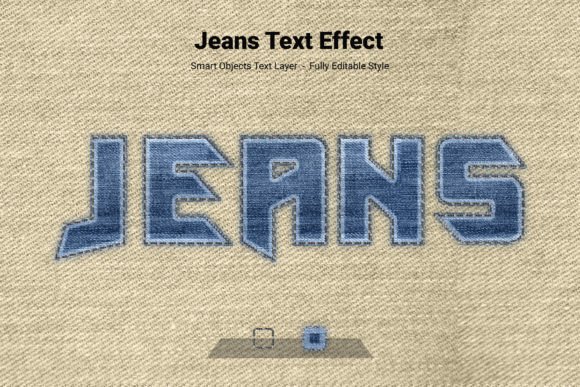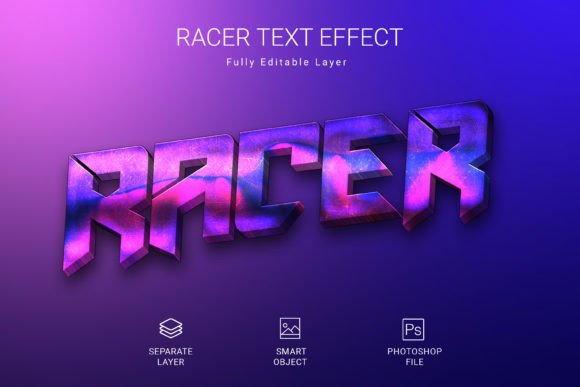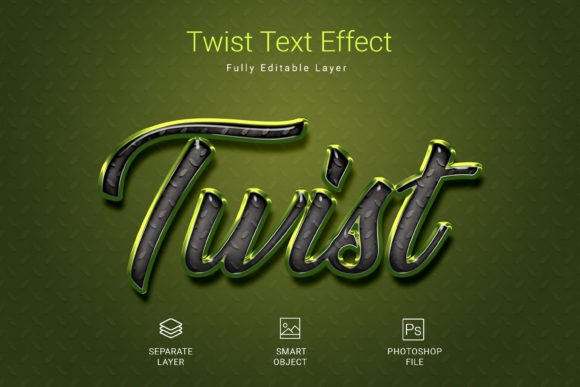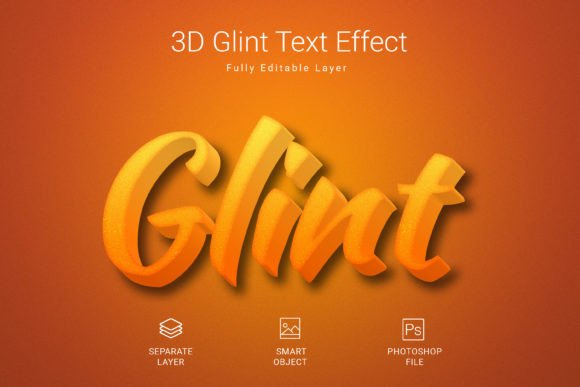
Mastering Creative PSD Text Style Effect Mockups: A Complete Guide for Designers
Typography is the backbone of visual communication. Whether you are designing a brand logo, a social media banner, or a product label, the way your text looks can make or break the entire composition. In the crowded world of digital design, standing out requires more than just choosing a beautiful font — it demands a powerful text effect that adds depth, texture, and personality. This is where a Creative PSD Text Style Effect Mockup becomes an essential tool in every designer's arsenal. In this comprehensive guide, we will explore what these mockups are, why they matter, how they work, and how you can use them to elevate your projects with minimal effort.
What Is a Creative PSD Text Style Effect Mockup?
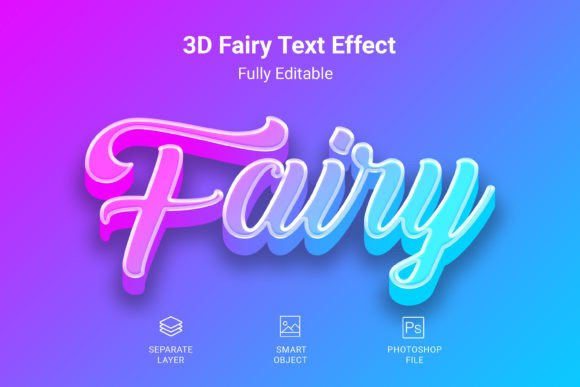
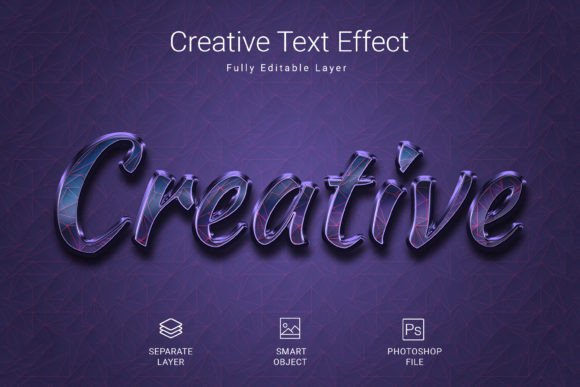
A Creative PSD Text Style Effect Mockup is a pre-designed Photoshop file that applies a high-quality, stylized effect to any text, shape, or vector logo. Instead of building complex layer styles, gradients, shadows, and textures from scratch, you simply insert your content into a dedicated smart object layer. The effect is automatically applied, saving you hours of work while delivering a professional, polished result.
These mockups are widely used by graphic designers, branding specialists, social media managers, and even hobbyists who want to create eye-catching visuals without deep technical knowledge of Photoshop. The beauty lies in their simplicity: you do not need to understand drop shadows, bevel effects, or blending modes to produce stunning text. The effect is already built into the file, and all you need to do is customize your content.
Why Use a PSD Text Effect Mockup?
In modern design workflows, speed and quality are equally important. Clients expect fast turnarounds, but they also demand visuals that look polished and distinctive. A PSD text effect mockup bridges the gap between efficiency and excellence. Here are some of the main reasons designers turn to these resources:
- Time savings: Instead of recreating complex text styles from scratch, you can apply a ready-made effect in seconds.
- Consistency: The effect remains uniform across different words, phrases, or logos, ensuring a cohesive brand look.
- Professional quality: The effects are crafted by experienced designers who understand lighting, texture, and depth.
- Versatility: You can use the effect on text, vector shapes, and logos, making it suitable for a wide range of projects.
- Editable: PSD files are fully customizable, so you can tweak colors, sizes, and positions to fit your vision.
Key Features of This Creative PSD Text Effect
The specific mockup we are discussing comes with a well-thought-out set of features designed to give you maximum flexibility and quality. Let us break down what makes this file stand out:
High-Quality PSD File
The file is built to professional standards, ensuring crisp edges, smooth gradients, and realistic textures. Every layer is organized logically, so you can easily find and adjust what you need.
Size: 3000 × 2000 Pixels
This generous canvas size gives you plenty of room to work with large headlines, logos, or multi-line text. It is ideal for high-resolution output, whether you are designing for print or digital display. You can scale down without losing quality, but scaling up is never recommended — so starting with a large canvas is a smart choice.
PSD File Format
Adobe Photoshop remains the industry standard for raster-based design. A native PSD format means you can open the file directly, no conversion needed. All layers, masks, and smart objects are preserved exactly as intended.
RGB Color Mode
RGB (Red, Green, Blue) is the standard color space for digital screens. This ensures that your final design looks vibrant and accurate on monitors, tablets, and smartphones. If you need to print the design, you can convert to CMYK later, but starting in RGB gives you the widest color gamut for digital work.
300 DPI Resolution
Dots per inch (DPI) determines the sharpness of an image when printed. 300 DPI is the industry standard for high-quality print production. Even if you only plan to use the design digitally, working at 300 DPI gives you the flexibility to repurpose the file for print later without losing clarity.
Fully Editable
Nothing is locked down in a way that prevents you from making changes. You can modify the text, adjust colors, move elements, add new layers, or combine effects. The smart object system ensures that the effect remains intact even after you replace the placeholder content.
Free Font Used
A major advantage of this mockup is that it comes with a free font. You do not need to purchase an expensive typeface to achieve the look shown in the preview. The font is linked or included, so you can install it and start editing immediately. This makes the mockup accessible to designers on any budget.
How to Use the PSD Text Effect Mockup: A Step-by-Step Guide
If you have ever felt intimidated by complex Photoshop files, do not worry. This mockup is designed for ease of use. Here is how you can apply your text in just a few minutes:
- Open the PSD file in Adobe Photoshop (CS6 or later, or any version that supports smart objects).
- Locate the smart object layer — it is usually labeled clearly, for example, "Edit Me" or "Double Click to Edit."
- Double-click the smart object thumbnail to open it in a new window. This window contains the placeholder text.
- Replace the placeholder text with your own. You can also change the font, size, and color if desired.
- Save the smart object (File > Save) and close the window. The main PSD file will automatically update with your new text, now styled with the full effect.
- Fine-tune the positioning — you can move the text layer or adjust its scale using Free Transform.
- Export your final design as a PNG, JPG, or any other format you need.
That is it. No complex layer blending, no messing with drop shadows or gradients. The effect is applied instantly, and you retain the ability to go back and edit the text or the effect at any time.
Practical Applications: Where Can You Use This Text Effect?
This mockup is incredibly versatile. Here are some real-world use cases where a Creative PSD Text Style Effect can make a meaningful difference:
Branding and Logo Design
A distinctive text effect can become part of a brand’s visual identity. Whether you are creating a wordmark logo or a styled tagline, applying a consistent effect across all brand materials reinforces recognition. The ability to use the effect on vector logos means you can incorporate symbols or icons with the same styling.
Social Media Graphics
Social media feeds are saturated with content. A bold, textured text effect helps your posts stand out in the scroll. Use it for quote cards, announcement graphics, or promotional images. The 3000×2000 pixel canvas is large enough to crop into various aspect ratios (square, landscape, portrait) without losing resolution.
Product Packaging and Labels
If you are designing packaging for a physical product, high-resolution text effects add a premium feel. The 300 DPI resolution ensures that the text remains sharp when printed on boxes, bottles, or bags. The RGB color mode is a starting point; you can convert to CMYK for offset printing while preserving the effect.
Website Hero Sections and Banners
Hero text is the first thing visitors see on a landing page. Using a styled text effect can convey the tone of your brand instantly — whether that is playful, luxurious, edgy, or minimal. Since the file is fully editable, you can generate multiple variations for A/B testing or seasonal campaigns.
Presentations and Pitch Decks
Even in business contexts, visual polish matters. A well-styled title slide or section header can make your presentation look more professional. The mockup allows you to create consistent typography across all slides, reinforcing your brand identity.
Clarifying Common Misunderstandings
Even with a straightforward tool like this, some misconceptions can arise. Let us address a few of them:
"You need advanced Photoshop skills to use PSD mockups."
This is not true. The smart object workflow is beginner-friendly. If you can double-click a layer, type text, and save, you can use this mockup. The hard part — designing the effect — has already been done for you.
"The effect is not editable after you apply your text."
Actually, it is fully editable. You can reopen the smart object at any time, change the text, font, or color, and the effect updates accordingly. You can also modify the effect itself if you understand layer styles, but that is optional.
"Higher resolution always means larger file size and slower performance."
While a 300 DPI file is larger than a 72 DPI file, modern computers handle PSD files efficiently. The 3000×2000 pixel canvas is well within comfortable limits for most systems. The trade-off in file size is worth the quality gain, especially if you plan to print.
"Free fonts are low quality."
This is a common bias. Many free fonts are designed by talented type designers and are perfectly suitable for professional work. The font included with this mockup has been selected to pair well with the effect, so you can trust its quality.
Tips for Getting the Best Results
To make the most of your Creative PSD Text Style Effect Mockup, consider these best practices:
- Use high-contrast text — the effect will be more visible and impactful when the text color contrasts well with the background.
- Avoid overcrowding — the effect is designed to be the focal point. Keep surrounding elements minimal.
- Experiment with different fonts — even though a free font is included, you can substitute any typeface that fits your brand.
- Test on different backgrounds — the same effect can look different on light, dark, or patterned backgrounds. Duplicate the file and try variations.
- Save your work incrementally — especially if you are experimenting with changes to the effect layers.
Why This Mockup Fits into Modern Design Workflows
In today's fast-paced creative environment, efficiency is not just a nice-to-have — it is a necessity. Freelancers juggle multiple clients, agencies operate on tight deadlines, and in-house designers are expected to produce high volumes of content. Tools that reduce repetitive tasks without sacrificing quality are invaluable.
This PSD text effect mockup aligns perfectly with the smart object paradigm that Photoshop has championed for years. It embodies the philosophy of "work smarter, not harder." By separating the content (your text) from the presentation (the effect), you gain the ability to update your designs quickly, iterate rapidly, and maintain a consistent visual standard across projects.
Moreover, the mockup respects the principles of E-E-A-T (Experience, Expertise, Authoritativeness, and Trustworthiness) in design. The effect has been crafted by a designer who understands lighting, shadow, texture, and composition. When you use it, you are leveraging that expertise in your own work. The file is organized, documented, and built to industry specifications, so you can trust its output.
Conclusion
A Creative PSD Text Style Effect Mockup is more than just a time-saving shortcut — it is a gateway to professional-quality typography for designers of all skill levels. Whether you are branding a new business, launching a social media campaign, or designing packaging for a product, having a reliable, editable, high-resolution text effect at your fingertips empowers you to focus on the creative aspects that truly matter: message, composition, and audience connection.
The mockup we have explored features a generous canvas, high resolution, full editability, and a free font — all wrapped in a user-friendly smart object workflow. It demystifies the process of creating striking text effects and makes high-end design accessible to everyone. If you have been hesitating to experiment with text effects because you thought they were too complex or time-consuming, this is your sign to dive in. Open the PSD file, double-click the smart object, and watch your words transform. Once you experience the ease and quality of this approach, you will wonder how you ever worked without it.
Remember: great design is not about how many effects you can layer — it is about choosing the right effect and applying it with purpose. This mockup gives you that purpose-built effect, ready to use. If you like it, please do not forget to rate it 5 stars.