Blade PSD Text Style Effect Mockup Review and Evaluation
When working on typography-heavy projects, the look and feel of text can define the entire visual identity. Designers often search for resources that deliver a polished, high-impact look without requiring hours of manual adjustment. The Blade PSD Text Style Effect Mockup is one such resource that claims to offer a streamlined way to apply a premium, blade-inspired aesthetic to text, shapes, and vector logos. But does it live up to its promise, and is it the right tool for your specific project? This article evaluates the Blade PSD Text Style Effect Mockup from a practical standpoint, helping you decide whether it aligns with your design goals, workflow, and quality expectations.
What Is the Blade PSD Text Style Effect Mockup?
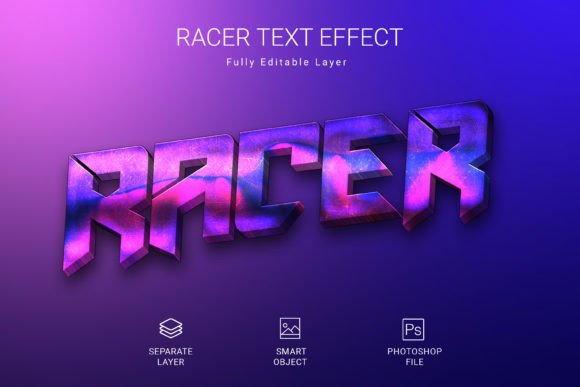
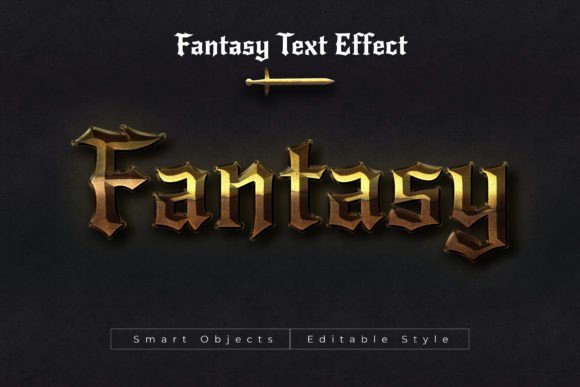
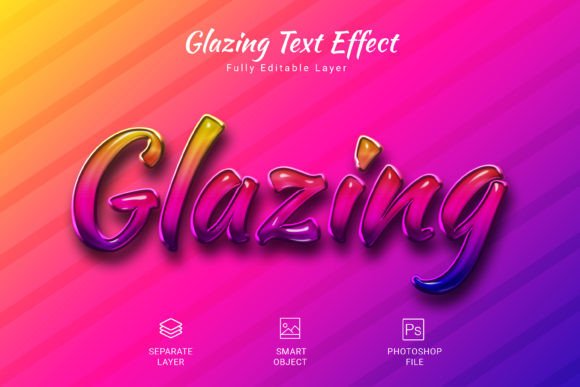
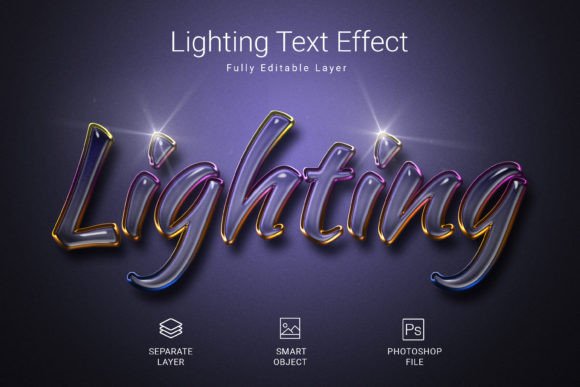
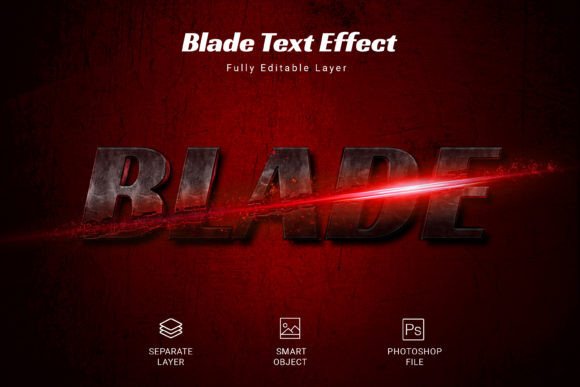
The Blade PSD Text Style Effect Mockup is a pre-designed Adobe Photoshop file that allows you to apply a distinctive, blade-like text effect to your typography. It is built around the concept of smart objects, which means you can replace placeholder text with your own content and immediately see the effect applied. The file comes in a single PSD format with dimensions of 3000 by 2000 pixels, a resolution of 300 DPI, and RGB color mode. It also uses a free font, so you do not need to purchase additional typefaces to get started. The intended use cases include headlines, poster text, logo typography, and other display-oriented applications where a sharp, metallic, or edgy look is desired.
Understanding what this mockup offers at a surface level helps clarify its potential role in a design workflow. It is not a set of actions or a script, but a self-contained file that you open, edit, and export. This simplicity is one of its main selling points.
Why Might You Consider Using This Text Effect?
There are several scenarios where the Blade PSD Text Style Effect Mockup becomes a practical choice. One of the most common is time pressure. If you need a high-quality text effect for a client deliverable or a personal project in a short timeframe, the smart object workflow significantly reduces the production time. Instead of building a layered effect from scratch, you can focus on content and layout.
Another reason is consistency. When you use a pre-built mockup, you ensure that the effect remains uniform across multiple uses. This is particularly relevant for branding projects where typography needs to maintain a consistent visual signature across different media. The Blade effect, with its metallic and sharp aesthetic, can serve as a recognizable element in a brand toolkit.
Additionally, designers who are not deeply experienced in layer styles, blending modes, and text effects in Photoshop may find this mockup especially valuable. It lowers the technical barrier and allows less experienced users to achieve results that would otherwise require advanced knowledge.
Key Features and What They Mean for Your Workflow
To evaluate this mockup properly, it helps to break down its features and consider what each one means in practice.
High-Quality PSD File
The file is created at a professional standard with attention to detail. The layering, blending, and effects are organized in a way that preserves quality during editing. For designers who need to present their work in high resolution, this is a reliable starting point.
3000 x 2000 Pixel Canvas
This is a generous canvas size that works well for print projects, social media graphics, and web banners. It gives you enough room to position text comfortably without feeling cramped. However, if your output format is significantly smaller or larger, you may need to resize the canvas, which could affect the effect scaling.
300 DPI Resolution
At 300 DPI, the mockup is print-ready. This is a strong advantage for designers working on flyers, posters, brochures, or any printed material. It removes the need to upscale later, which can degrade quality.
RGB Color Mode
RGB is standard for digital screens, so this mockup is optimized for on-screen use. If you are designing for print, you would need to convert to CMYK, and that conversion may alter the metallic appearance of the effect. This is a tradeoff worth noting if your primary output is print.
Fully Editable
Editable means you can change the text, adjust the effect intensity, modify colors, or reposition elements. The mockup is not locked, which gives you creative freedom. However, the more you modify the original structure, the more you risk losing the intended aesthetic. It is wise to make incremental changes and test them.
Free Font Used
Because the font is free, you can legally use it in commercial projects without additional licensing. This is a practical benefit that reduces cost and legal complexity. If you prefer a different typeface, you can substitute it, but the effect may behave differently with alternate font geometries.
Where the Blade Mockup Excels
There are certain project types and situations where this text effect mockup performs particularly well.
- Gaming and entertainment graphics: The blade aesthetic fits well with titles, logos, and headers for games, esports teams, and entertainment events.
- Movie posters and trailers: Sharp, edgy text effects are common in action and fantasy genres, making this mockup a good match.
- Brand identities for tech or sports brands: A metallic, blade-like appearance can convey precision, strength, and innovation.
- Social media content: High-impact headlines for Instagram, YouTube, or TikTok can benefit from the striking visual style.
- Rapid prototyping: When you need to present multiple design directions quickly, the mockup lets you generate polished variations in minutes.
In these contexts, the Blade PSD Text Style Effect Mockup can save time and produce results that stand out. The combination of ease of use and professional output is its strongest asset.
Tradeoffs and Considerations
No design resource is without limitations, and understanding these tradeoffs helps you decide whether this mockup is right for you.
Limited Style Flexibility
The effect is designed to look like blade-like metal. If your project requires a soft, organic, or minimalist text treatment, this mockup will not be suitable. Its aesthetic is very specific, and forcing it into a mismatched context can look out of place.
Photoshop Dependency
You need Adobe Photoshop to use this file. If you work primarily in other design tools like Illustrator, InDesign, or Figma, you will need to export your text as a smart object and bring it into Photoshop for the effect. This adds an extra step to your workflow.
Resolution and Color Mode Constraints
Working at 3000 x 2000 pixels with 300 DPI and RGB mode is ideal for digital and print. But if your project demands a different aspect ratio or a CMYK color space, you will have to adapt the file. Conversions may alter the appearance of the effect, so it is important to test and adjust.
Single Effect Variation
The mockup offers one specific look. If you need multiple variations of the blade effect, you would need to either purchase additional mockups or manually tweak the layer styles. This can become repetitive if you are working on a large set of assets.
Smart Object Workflow
While the smart object system is convenient, it also means that you are working within a predefined structure. If you are accustomed to building text effects from scratch, you may find the mockup limiting. It is best suited for designers who value speed and consistency over complete creative control.
Alternatives Worth Considering
Depending on your project needs, you might explore alternatives to the Blade PSD Text Style Effect Mockup.
- Custom layer styles: If you have intermediate to advanced Photoshop skills, you can build your own blade effect. This gives you full control over every detail, but it takes more time and experimentation.
- Other PSD text effect mockups: There are many similar products available, each with a different aesthetic. Comparing multiple options can help you find a style that more precisely matches your vision.
- Vector-based effects in Illustrator: For projects that require scalability without resolution limits, a vector approach may be preferable. Illustrator allows for metallic and edgy effects through gradients and blends.
- Online text effect generators: Tools like Canva, Placeit, or MockupWorld offer browser-based text effects. They are easy to use but often provide less customization and lower output quality compared to a dedicated PSD file.
Choosing between these options depends on your priority: speed, quality, control, or budget. The Blade mockup sits in the middle, offering a good balance of quality and convenience for many common use cases.
Practical Decision-Making Insights
To decide whether the Blade PSD Text Style Effect Mockup is right for you, consider the following questions.
What is your primary output medium?
If you are designing for digital screens and occasionally for print, the RGB mode and 300 DPI resolution are well suited. If print is your main output, verify that the effect translates well to CMYK or be prepared to adjust.
How important is speed in your workflow?
If you are frequently under tight deadlines, the smart object editing system will save you significant time. If you have the luxury of longer timelines, you may prefer building your own effects for greater originality.
Do you need a one-off effect or a reusable asset?
The mockup works well as a reusable resource for recurring projects. If you need a single, unique design, the investment in a mockup may be less justified.
What level of customization do you require?
If you need full control over every aspect of the effect, custom layer styles are a better route. If you are comfortable working within a predefined style and making minor adjustments, the mockup is a solid choice.
Does your brand or project align with the blade aesthetic?
This is perhaps the most important question. The effect is dramatic and attention-grabbing, which works well for certain industries and audiences. For more conservative or refined projects, a subtler treatment would be more appropriate.
Final Evaluation
The Blade PSD Text Style Effect Mockup is a practical tool for designers who need a high-quality, blade-inspired text effect without spending hours building it from scratch. Its smart object workflow, generous canvas size, print-ready resolution, and free font make it accessible and efficient. The effect is best suited for gaming, entertainment, tech, and sports-related projects where an edgy, metallic look enhances the visual message.
At the same time, it is not a universal solution. Its specific aesthetic, dependence on Photoshop, and limited flexibility mean it will not fit every project or every designer's workflow. If you value creative control and originality, you may prefer to develop custom layer styles. If you need a fast, reliable, and professional result for a suitable project, this mockup delivers.
By weighing the benefits and tradeoffs outlined in this article, you can determine whether the Blade PSD Text Style Effect Mockup aligns with your current needs and long-term design practice. As with any resource, the best choice depends on the specific context of your work and the goals you are trying to achieve.