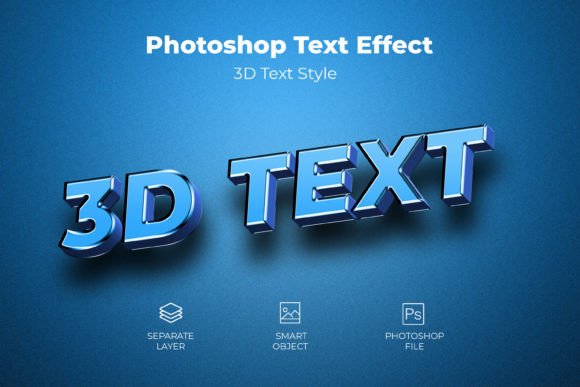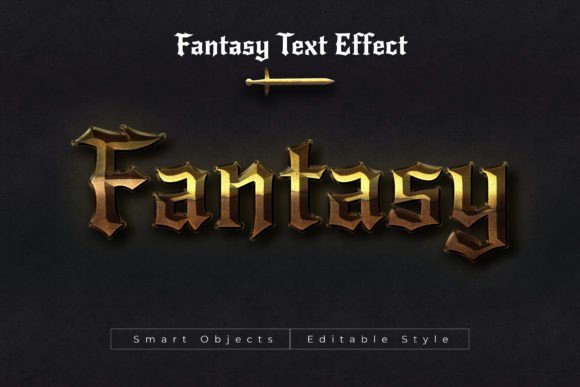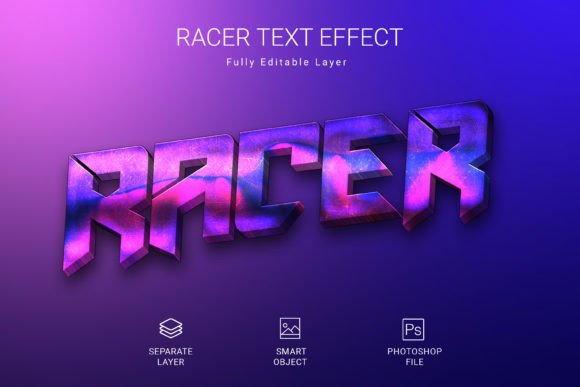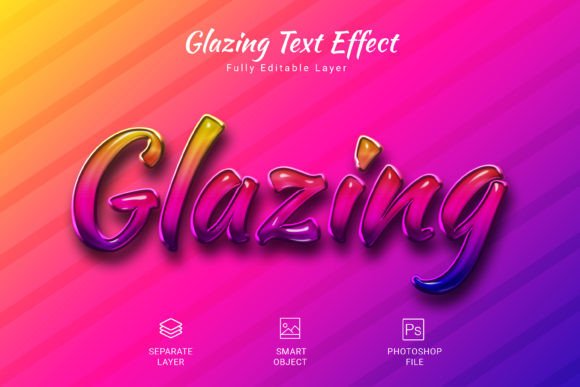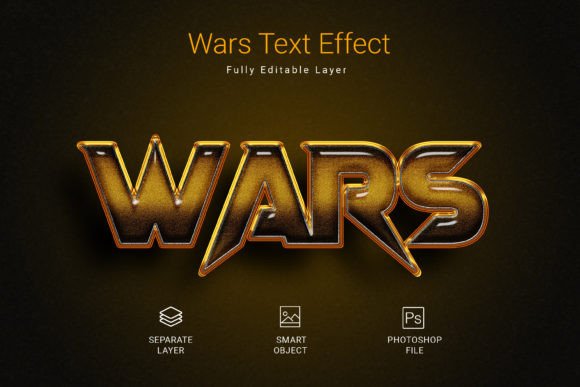
Wars PSD Text Style Effect Mockup Overview
When working on graphic design projects, the ability to apply a consistent, high-quality text style quickly can significantly streamline your workflow. The Wars PSD Text Style Effect Mockup is a design resource that aims to deliver exactly that: a pre-built, editable text effect that can be applied to text layers, shapes, and vector logos. This article provides a balanced evaluation of this mockup, examining its features, practical benefits, potential tradeoffs, and the scenarios where it may—or may not—be the right choice for your project.
Understanding the Wars PSD Text Style Effect Mockup
At its core, the Wars PSD Text Style Effect Mockup is a layered Photoshop file that contains a predefined set of layer styles, blending options, and formatting settings. These settings combine to produce a specific visual treatment for text or vector elements. The effect is delivered as a PSD file, meaning you work directly in Adobe Photoshop to apply it. The primary mechanism for use is the smart object workflow: you open the file, locate the smart object layer, double-click to edit it, paste or type your own text or shape, save, and the effect is applied automatically. This approach allows you to maintain the original styling without manually recreating layer styles each time.
The mockup is designed to be accessible to users with a basic understanding of Photoshop, as the smart object method eliminates the need to understand each individual layer effect. The file includes a high-resolution canvas of 3000×2000 pixels, RGB color mode, and 300 DPI resolution, making it suitable for both digital display and print applications where these specifications align with your output requirements.
Key Features and Specifications
The product listing highlights several technical attributes that are worth examining from an evaluative perspective:
- High-quality PSD file – The file is constructed with attention to layer organization and non-destructive editing, which helps preserve the original effect even after multiple edits.
- Size 3000×2000 pixels – This provides a generous workspace for most standard text layouts, banner designs, social media graphics, and print materials up to A4 or similar sizes at 300 DPI.
- PSD file format – Native Photoshop format ensures full compatibility with layer styles, smart objects, and adjustment layers without flattening or loss of editability.
- RGB color mode – Suitable for screen-based projects; if your final output is print (CMYK), you will need to convert or adjust colors accordingly.
- 300 DPI resolution – Print-ready resolution, which is a strong asset if you intend to use the text effect in physical media such as posters, flyers, or packaging.
- Fully editable – All text, colors, and some style aspects can be modified, though the core effect (such as bevel, shadow, gradient, or texture) is preset.
- Free font used – The mockup relies on a freely available font, which means you can legally use it without additional licensing costs. However, if you prefer a different typeface, you can swap it out as long as you have the font installed.
These specifications suggest that the file is built for versatility, but they also imply certain boundaries. For example, the fixed canvas size may not suit every layout without cropping or scaling, and the RGB mode means that if your project is destined for professional offset printing, you will need to handle color conversion and potentially adjust the effect appearance.
Benefits and Practical Advantages
One of the main reasons designers look for a text style effect mockup like this is time savings. Instead of building a complex text effect from scratch—adjusting layer styles, drop shadows, gradients, textures, and bevels—you have a ready-made result that can be applied in a few clicks. The smart object workflow is particularly efficient when you need to produce multiple variations of the same styled text, such as for a series of social media posts, video titles, or brand materials.
Another advantage is consistency. When you use the same PSD mockup across different projects or team members, you ensure that the text style remains uniform. This is valuable for maintaining brand identity or a cohesive visual theme. The high resolution and DPI also mean that the result will appear sharp on both screens and in print, provided the output medium supports RGB color.
For designers who are not specialized in typography or layer effects, the Wars PSD Text Style Effect Mockup lowers the barrier to achieving a polished look. You do not need to understand every nuance of Photoshop's blending modes or layer styles to get a professional result. This makes it a practical tool for freelancers, small business owners, or social media managers who need decent visual output without deep design expertise.
Considerations and Potential Tradeoffs
While the mockup simplifies the process of applying a text effect, it also introduces some limitations that are important to weigh before purchasing or committing to its use. First, the style is fixed. You are working within the visual identity defined by the creator. If the effect includes specific textures, color schemes, or dimensional treatments, changing them may require additional work or may not be possible without breaking the intended look. The "fully editable" claim typically refers to text and basic color adjustments, but the core effect's character is predetermined.
Second, the smart object workflow, while efficient, can become cumbersome if you need to make frequent adjustments. Each time you want to change the text, you must open the smart object, edit, save, and return to the main file. For projects requiring rapid iteration, this can slow you down compared to working with live text layers and directly applied styles.
Third, the file's resolution and dimensions, while generous, are not infinite. If your project requires extremely large format output (e.g., billboards or large banners), you may need to upscale the file, which could degrade the effect's detail or sharpness. Similarly, the RGB color mode may cause unexpected color shifts when converted to CMYK for print, especially if the effect relies on vibrant or neon tones.
Another consideration is that the free font used may not suit every design context. You are free to change the font, but doing so may alter the overall aesthetic because the effect was designed with that specific typeface in mind. Heavier or lighter fonts may interact differently with the layer styles, potentially requiring tweaks to shadows, bevels, or textures to restore balance.
When This Text Effect Is a Strong Fit
The Wars PSD Text Style Effect Mockup is well suited for several common use cases. If you are creating titles for video content, such as YouTube thumbnails, intro sequences, or lower thirds, the high resolution and ready-made style can give your text a polished, attention-grabbing appearance without hours of design work. Similarly, for social media graphics—Instagram posts, Facebook covers, LinkedIn banners—where speed and consistency matter, this mockup provides a reliable starting point.
It is also a strong fit for small business owners or entrepreneurs who need to produce branded materials but do not have access to a dedicated designer. The low learning curve allows you to generate professional-looking text for flyers, discount posters, event announcements, or product labels quickly. The print-ready resolution means you can take the output to a local printer for short-run materials.
For designers working on a series of related materials, such as a set of presentation slides, course graphics, or webinar titles, the mockup helps maintain visual consistency. You can produce multiple text elements that share the same stylistic treatment, reinforcing a cohesive brand or theme across the entire set.
When Alternatives May Be Worth Considering
Despite its advantages, the Wars PSD Text Style Effect Mockup may not be the best option in every scenario. If you require a high degree of customization—such as completely changing the texture, lighting direction, color gradients, or adding unique effects that go beyond the preset style—you may be better off building your own layer styles or using a more flexible tool like Adobe Illustrator's appearance panel or a vector-based mockup that allows deeper manipulation.
For projects that demand strict brand color accuracy in print, dealing with an RGB-based file may introduce extra steps and potential inconsistencies. In such cases, a CMYK-native template or a manually constructed effect that starts in the correct color space could save time and reduce color guesswork.
Additionally, if your workflow relies heavily on non-destructive editing using adjustment layers, layer comps, or linked smart objects across multiple files, the standalone PSD mockup may not integrate seamlessly. Some designers prefer to use Adobe Creative Cloud Libraries or template systems that allow more dynamic updates across documents. A single-file mockup, while straightforward, can become a bottleneck when managing large projects.
For teams that use software other than Adobe Photoshop—such as Affinity Photo, CorelDRAW, or web-based design tools like Canva or Figma—the PSD format may not be directly compatible. While many programs can open PSD files, the layer effects may not translate perfectly, potentially breaking the intended look. In these environments, a universal format or a mockup designed specifically for your software would be more reliable.
Practical Decision-Making Insights
When evaluating whether the Wars PSD Text Style Effect Mockup aligns with your goals, start by clarifying your project requirements. Ask yourself: How many text elements do I need to produce? How much time am I willing to invest in learning or building a custom effect? How critical is it that the style matches a specific brand or vision? If consistency and speed are your primary concerns, and the preset style is visually appropriate, then this mockup offers a practical solution.
Also consider your technical environment. If you work in Adobe Photoshop and are comfortable with smart objects, the integration will be smooth. If you are using alternative software or need CMYK output, be prepared for extra conversion steps. The free font is a nice bonus, but verify that it covers the characters you need (especially if you work with multiple languages or special symbols).
Finally, consider the mockup as part of a broader toolkit. Even if it does not become your go-to for every project, it can serve as a quick solution for low-stakes or high-volume tasks, freeing up your time for more creative work where a unique text effect is required. For designers who value efficiency and consistency, the Wars PSD Text Style Effect Mockup is a resource that can deliver reliable results with minimal setup.
In summary, the mockup provides a straightforward, high-resolution, print-ready text effect that is easy to apply and edit. It shines in scenarios where speed, consistency, and a polished look are the top priorities. However, if your needs lean toward deep customization, CMYK color workflows, or non-Photoshop environments, alternative approaches may serve you better. By weighing these factors against your specific project demands, you can make an informed decision that balances practicality with creative flexibility.